Top Colossyan Alternatives: 8 Tools for AI Lip Sync and Video Editing
Explore 8 Colossyan alternatives for AI lip sync and editable multilingual video. Compare features, multi-speaker support, and voice control in real video.
Quick Summary
When teams need to produce or update training videos in multiple languages, stiff avatars or unnatural audio can distract viewers. Choosing the right Colossyan alternative matters when projects need precise dialogue control and natural speech alignment. We reviewed 8 platforms, including LipDub AI, Synthesia, and Elai.io, to find tools that support editable translations, voice consistency, and realistic movement.
Here are our top three picks:
LipDub – Blog Table
#
Tool
Best For
1
LipDub AI
Editing dialogue, multi-speaker sync, and accurate lip alignment in longer videos
2
Synthesia
Large-scale video projects with AI avatars and multilingual output
3
Elai.io
Script or presentation-based video generation with voice and dialogue control
Why Look for a Colossyan Alternative?
One common problem teams localizing training videos face is that small errors in tone, timing, or lip sync make the content sound unnatural. AI Avatar tools can be fast, but they may not handle multi-speaker scenes, longer videos, or precise dialogue edits well.
This guide compares Colossyan alternatives on how well they handle realistic AI lip sync, editable translations, and stable output across real training and localization workflows. You can review the features and differences between the tools to find the exact software for your next project.
Why Listen to Us?
At LipDub AI, we work with global marketing agencies, brands and localization teams to manage high-volume video workflows. Each month, we speak with hundreds of production leaders about the real challenges of scaling multilingual content. Our experience building video-to-video tools shapes how we review platforms, with a focus on reliable results, natural audio, and strong data control.
8 Colossyan Alternatives
LipDub – Blog Table
#
Tool
Best For
Key Strength
Pricing
1
LipDub AI
Marketing agencies, enterprise brands, and course creators
Edit translations before generating; maintains lip sync and visual realism even in longer videos
Starts from $19/month
2
Synthesia
Corporate trainers and internal communications teams
240+ expressive avatars and 1-click translation for consistent text-to-speech
Starts from $29/month
3
Elai.io
Corporate learning teams and educators
Converts PPTX and text into interactive training videos with knowledge checks
Starts from $29/month
4
HeyGen
Marketers and business presentation teams
Fast presenter-style video generation with 1,000+ stock avatars
Starts from $29/month
5
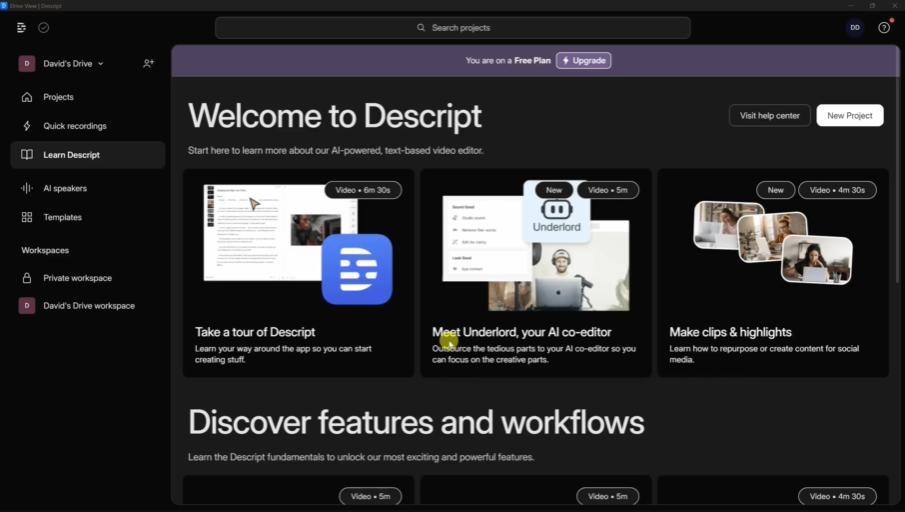
Descript
Content teams and beginners
Edits video and audio directly through transcribed text
Starts from $35/month
6
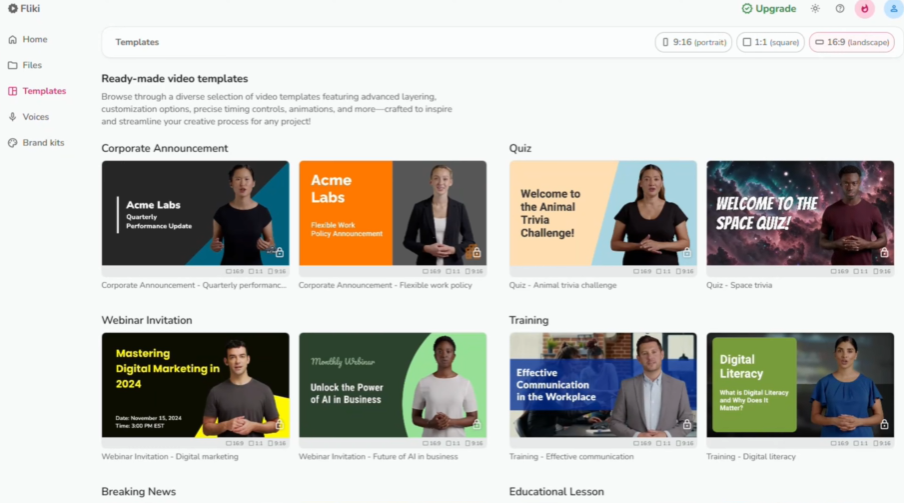
Fliki
Social media teams and content creators
Transforms scripts and PPTs into videos using 2,500+ realistic AI voices
Free plan / Starts from $28/month
7
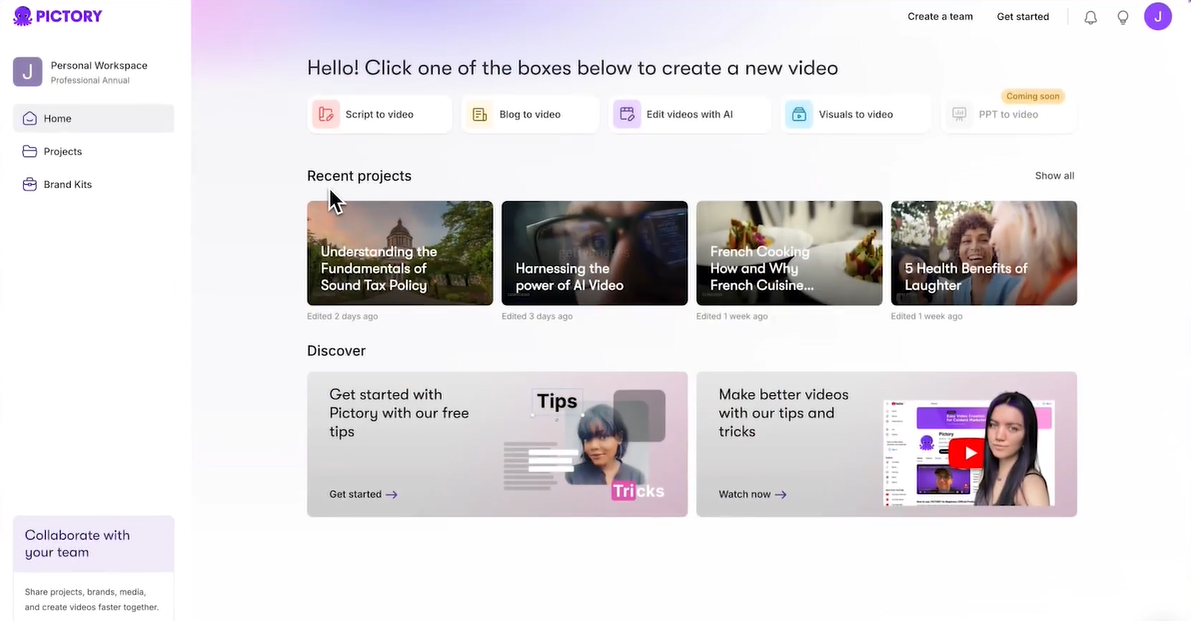
Pictory AI
Marketers and social media teams
Automatically extracts short highlight clips from long-form content and articles
Free plan / Starts from $29/month
8
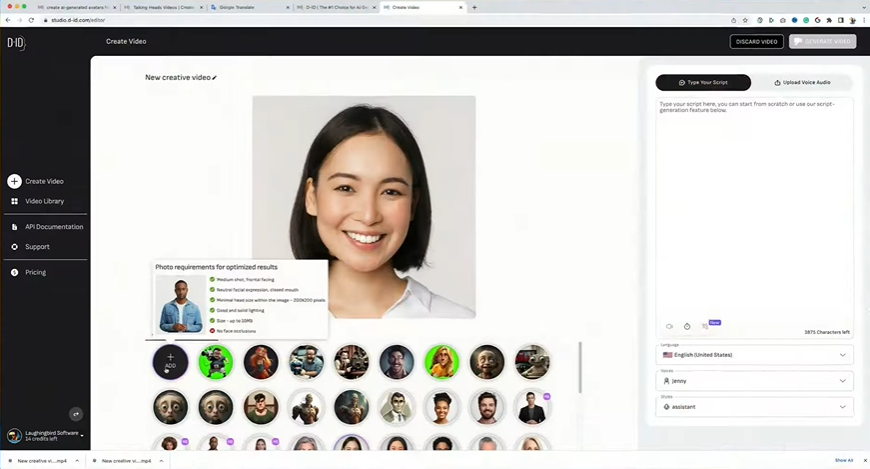
D-ID
Customer support teams and developers
Deploys interactive digital humans for real-time conversations via API
Free plan / Starts from $5.9/month
1. LipDub AI
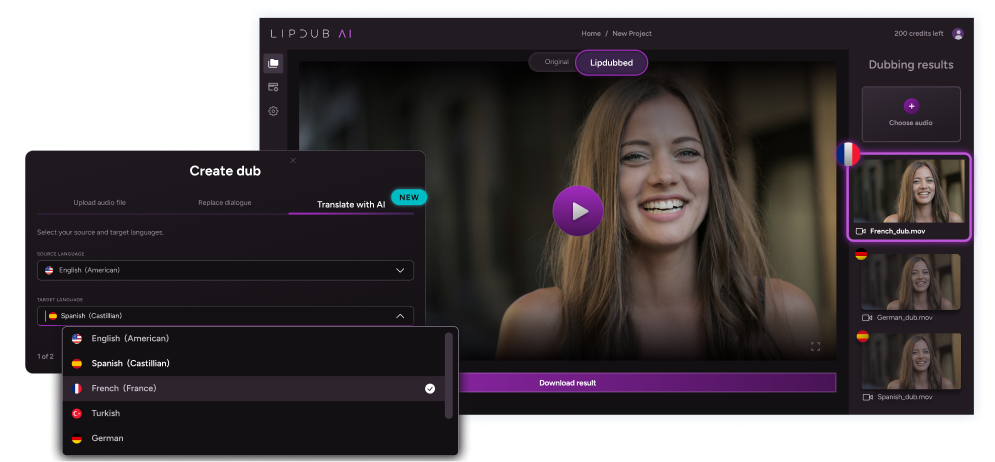
LipDub AI is built for teams that want to repurpose existing video content across languages and contexts while maintaining natural voice, facial expressions, and realistic lip sync. It is ideal for content leaders, course creators, and video localization teams who need predictable, professional results from high-value video assets.
Core Features
Translation Editor: Adjust translations before generating video to preserve tone, context, and nuance.
Voice Cloning: Maintain the original speaker’s voice consistently across multiple languages.
Voice Library: Access over 5,000 expressive AI voices that deliver realistic tone and emotional variability.
Data Ownership: Your video content remains entirely private and is never used to train AI models.
Dialogue Replacement: Swap lines, CTAs, or messaging without reshooting.
Batch Generation: Produce hundreds of translated or personalized video variants efficiently.
Multi-Speaker Sync & Dynamic Movement Tracking: Lip sync stays accurate across multiple speakers, side angles, and natural movement.
Try for free then you have the following subscription options:
Core plan is $29 per month and includes 30 credits, giving you up to 15 minutes of lip-synced video content.
Growth plan is $99 monthly for 100 credits, giving you up to 50 minutes of lip-synced video content.
Scale plan is $249 monthly for 250 credits, giving you up to 125 minutes of lip-synced video content.
The Enterprise plan offers custom pricing based on volume and includes API access along with dedicated support. Check more details on the pricing page.
Pros
Keeps original voice and facial detail consistent across translated videos
Can edit dialogue before rendering so tone and context stay accurate
Handles multi-speaker scenes without breaking lip sync alignment
Creates many personalized video versions quickly for campaigns or courses
Protects client footage with strict data ownership and private processing
Cons
Advanced features may require some professional video production experience
Longer videos or high-volume projects may require higher-tier plans
2. Synthesia
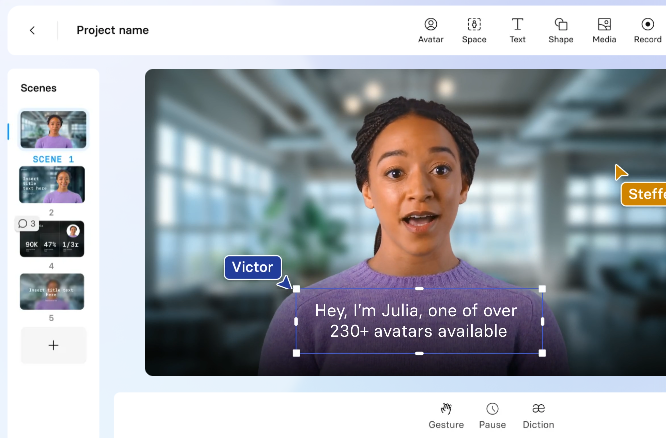
Synthesia focuses on converting written scripts into presenter-led videos using digital avatars. The platform is widely used for corporate training, internal communications, and instructional content. Teams can quickly produce consistent, scripted content for multiple languages, and can use this tool to turn documents and presentations into standardized educational modules.
Core Features
Expressive AI Avatars: Provides access to over 240 digital presenters that perform scripts with programmed facial expressions.
1-Click Translation: Translates text and syncs it with avatar lip movements across 160 languages.
AI Video Assistant: Converts PDFs, documents, or website links directly into draft video layouts.
Interactive Elements: Embeds clickable triggers, branching paths, and quizzes directly into the video player.
Pricing
Starter: $29 monthly and includes 10 minutes per month for one editor.
Creator: $89 monthly and includes 30 minutes per month plus personal avatars.
Enterprise: Custom pricing for unlimited minutes and advanced security options.
Pros
Large avatar library helps keep presenter style consistent across lessons
Script to video workflow speeds up internal training content production
Browser based editor lets teams create videos without a complex setup
Supports many languages for consistent multilingual training content
Cons
Avatar customization is limited for brand-specific presentation needs
Lip sync accuracy can vary across some languages or accents
Avatar realism may look less natural in conversational scenes
3. Elai.io
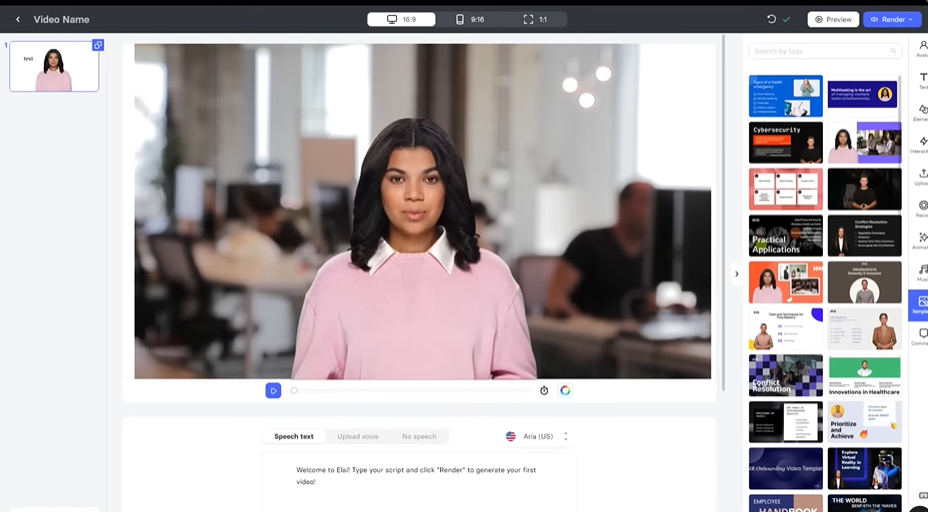
Elai.io is an AI video generation platform structured around continuous learning and educational content. It converts text, slide decks, and articles into structured video modules featuring digital human presenters. Corporate trainers and onboarding specialists use Elai to build repeatable training materials and interactive knowledge checks.
Core Features
PPTX-to-Video: Converts uploaded PowerPoint files into video slides featuring editable text and digital narrators.
AI Storyboard: Formats training scripts into structured video outlines for faster course creation.
Interactive Quizzes: Places knowledge checks and interactive workflows inside the video to improve learner retention.
Article-to-Video Converter: Transforms blog posts and long-form articles into narrated summaries via a direct URL.
Pricing
Creator: $29 monthly when billed annually for 15 minutes of video and full access to the avatar library.
Team: $125 monthly when billed annually for 50 minutes of video and supports Ultra 4K HD for three editors.
Enterprise: Custom setups with unlimited users and dedicated premium support.
Pros
Turns slide decks into training videos without new recording sessions
Interactive quizzes help track learner progress inside training modules
Script storyboard keeps lessons structured across large course libraries
Customer support is responsive when teams need setup help
Cons
Avatar realism may look limited compared to real footage tools
Rendering times increase significantly on longer or more complex projects
Pronunciation accuracy fluctuates depending on the language and specific industry terminology
4. HeyGen
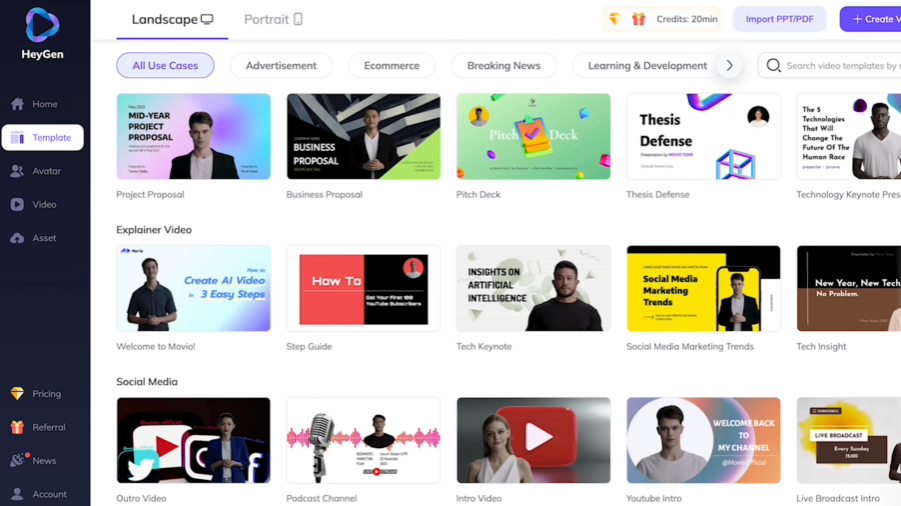
HeyGen is an AI video generator focused on fast creation of presenter-style content. It converts scripts into finished videos using lifelike avatars, making it suitable for marketing clips, product explainers, and business presentations. The platform prioritizes ease of use and speed over deep editing of pre-recorded footage.
Core Features
AI Avatar Generator: Utilizes over 1,000 stock avatars or custom digital duplicates that move and gesture based on text inputs.
Video Translator: Translates video content into 175 languages and dialects while attempting to preserve voice characteristics.
Text to Video: Generates complete 1080p or 4K videos by pairing pasted scripts with visual assets and voiceovers.
AI Studio Editor: Offers a document-style interface for adjusting video scripts and scene layouts.
Pricing
Creator: $29 per month for unlimited videos up to 30 minutes in length with 1080p export.
Pro: $99 per month for 4K output resolution and faster processing times.
Business: $149 per month to support longer videos and includes collaboration tools.
Enterprise: Custom pricing tailored to large-scale operational needs.
Pros
Avatar library helps create presenter videos without filming people
Text to video workflow speeds up marketing and training content
Many language options help teams localize videos for global viewers
Simple studio editor makes script updates quick and easy
Cons
Credit limits can slow teams producing many videos each week
Limited control when editing real recorded footage or scenes
Lip synchronization may vary depending on language
5. Descript
Descript is a video and audio editing platform designed for content creators who need precise control over transcripts and editing. It works well for screen recordings, webinars, podcasts, and training videos. The platform emphasizes text-based video editing and collaborative workflows.
Core Features
Text-Based Editing: Alters video sequences by modifying the transcribed text directly.
AI Co-Editor: Executes edits and generates content based on text prompts and user feedback.
Studio Sound: Automatically cleans up background noise and equalizes voice tracks for clearer audio.
Translation & Captions: Transcribes spoken audio and translates the text to generate multi-language subtitles.
Pricing
Hobbyist: $24 per month for 10 media hours and 1080p exports.
Creator: $35 per month for 30 media hours and 4K export capabilities.
Business: $65 per month for 40 media hours and team-wide brand studio access.
Enterprise: Custom pricing for custom media minutes, and enterprise-grade security for large teams.
Pros
Editing video by changing text makes quick fixes easier
Built-in transcription saves time on subtitles and captions
Studio Sound cleans audio without needing a special recording setup
Team collaboration tools help manage shared video projects smoothly
Cons
AI features take time to learn for first-time users
Large projects can slow performance on lower-spec computers
Producing high-quality outputs is restricted to the more expensive tiers
6. Fliki
Fliki is a text-to-video and text-to-speech platform that transforms written materials like scripts, blogs, and product pages into narrated videos. It pairs AI-generated voices with digital avatars and stock media to streamline visual content creation. Teams utilize Fliki to convert static web pages and presentations into multimedia formats for social channels.
Core Features
AI Voiceover: Grants access to over 2,500 realistic voices for translation into 80 languages.
PPT to Video: Automates the conversion of presentation slides into timed video sequences.
Voice Cloning: Replicates specific voices to maintain audio consistency across different media outputs.
Custom Avatars: Inserts digital faces into videos to deliver the generated voiceovers.
Pricing
Free: 5 minutes of credits and 720p exports with a mandatory watermark.
Standard: $28 per month for 180 minutes of credits and full HD 1080p exports.
Premium: $88 per month for 600 minutes of credits and supports videos up to 40 minutes long.
Enterprise: Custom pricing for bulk credits and branded templates.
Pros
The large voice library supports many accents and narration styles
Text-to-video workflow helps create videos from scripts quickly
PPT import converts slides into videos without extra editing
Voice cloning keeps narration consistent across related video projects
Cons
Avatar and visual options can feel basic without manual edits
Strict credit limits on lower tiers restrict the volume of video production
Advanced voice cloning features are locked behind the most expensive plans
7. Pictory AI
Pictory AI is an automated video creation platform designed for content marketers, educators, and businesses who need to turn long-form materials into concise, shareable videos quickly. It works from scripts, articles, webinars, or recordings, to produce professional content for marketing, social, and training purposes.
Core Features
Article-to-Video Generator: Converts published blog posts and articles into narrated summaries using a direct URL.
Video Summarization: Scans long recordings to extract key moments and construct short highlight clips automatically.
Script-to-Video: Constructs a storyboard from written text and applies relevant stock visuals and music.
Automatic Captioning: Generates and hardcodes accurate subtitles into videos to improve viewer retention.
Pricing
Free: Up to three video projects.
Starter: $29 per month for 30 videos utilizing basic AI voices.
Professional: $59 per month for 60 videos and unlocks premium stock footage.
Teams: $199 per month for 90 videos and includes multi-user collaboration functionality.
Enterprise: Custom pricing for high-volume limits and personalized onboarding.
Pros
Turns blog posts into videos without manual editing work
Video summaries help reuse webinars and long recordings quickly
Automatic captions save time on subtitle creation and formatting
Works well for repurposing articles into short marketing clips
Cons
Auto-selected stock visuals can look generic without manual edits
AI voiceovers occasionally lack emotional variation in longer videos
Monthly video limits can restrict large content production needs
8. D-ID
D-ID specializes in developing interactive visual agents designed for real-time digital conversations. The platform allows organizations to integrate responsive digital humans into their websites and applications. Customer support teams and developers use D-ID to automate user onboarding and handle live inquiries via an API interface.
Core Features
Visual AI Agents: Deploys interactive digital humans capable of handling real-time conversations on proprietary platforms.
Video Studio: Renders avatar videos rapidly from scripts, briefs, or slide decks.
Real-time Streaming API: Connects the animation engine directly into external software applications.
Creative Integrations: Functions directly within standard enterprise tools like Microsoft PowerPoint and Google Slides.
Pricing
Lite: $5.9 monthly and includes 10 minutes of video.
Pro: $29 monthly for 15 minutes of video and unlocks voice cloning.
Advanced: $196 monthly for 100 minutes of video and custom logo placement.
Enterprise: Custom quotas for API usage and dedicated support.
Pros
Realistic digital humans create engaging videos without complex production
Simple interface helps teams launch avatar videos without heavy training
API access supports live chat, onboarding, and customer support use
Fast rendering speeds help teams publish videos without long delays
Cons
Customization options for avatars are limited for brand needs
Higher-tier plans become expensive as video usage increases
Complex scripts may need manual fixes for accurate delivery
How to Decide Which Tool is Right for Your Team
Generating a video is only the first step. You need tools that allow precise adjustments before rendering to avoid costly corrections later.
When comparing options, pay attention to:
Control before rendering to adjust wording and tone.
Natural voice delivery that avoids robotic sound.
Stable AI lip sync across movement or longer clips.
Support for multiple speakers and role-play scenes.
Clear data ownership and privacy protections.
Choose the Best Colossyan Alternative
Many platforms work well for turning text and slide decks into quick, avatar-led training modules. However, if your team prioritizes localizing existing videos with accurate lip sync, consistent voice, and full editorial control over dialogue, LipDub AI is built to support that level of precision.