5 Best Panjaya Competitors for Video Localization and Translation in 2026
A comparison of 5 Panjaya alternatives for video localization in 2026, covering LipDub AI, HeyGen, VEED, Murf.ai, and Synthesia across translation quality, editing control, and output consistency.
Quick Summary
This guide compares five Panjaya competitors for teams translating and localizing video at scale. It looks at tools like LipDub AI, HeyGen, and VEED to highlight different approaches to video creation and localization. The focus is on output quality, editing control, and maintaining consistency across short and long-form content.
Here are our top picks:
LipDub – Blog Table
#
Platform
Best For
1
LipDub AI
Live-action video translation and localization
2
HeyGen
Avatar-based video creation from scripts
3
VEED
Browser-based video editing and basic localization
Scaling Video Localization Without Losing Quality or Control
Teams expanding video across markets often face a tradeoff between speed and quality. Many tools can translate quickly, but results become inconsistent across longer or more dynamic content with multiple speakers, movement, or scene changes. Editing flexibility is often limited, making it difficult to adjust tone, correct phrasing, or maintain brand terminology before delivery.
LipDub AI takes a more controlled approach to video localization, giving teams more oversight before final output and more consistent results across complex content. This guide compares it with other Panjaya competitors so you can see how each platform handles quality, control, and video delivery across different types of content.
Why Listen to Us?
LipDub AI is built for teams translating and localizing video across languages. It is used in global campaigns and productions, including work with creative networks like WPP and Ogilvy, as well as studios such as HBO. The platform is designed with strict data handling and privacy standards for professional use. Your videos and data are never used for model training, so control, privacy, and ownership remain fully with your team.
"What I like very much about LipDub is that, for me, it's the best product. When you translate, itadapts much better than the others. Most lip sync tools look obviously AI. This doesn't" - Laurent Rozenfeld, Founder
Top Panjaya Competitors to Consider
LipDub – Blog Table
#
Tool
Best For
Key Strength
Starting Price
1
LipDub AI
Live-action video translation and localization
Maintains visual and voice consistency with control
$25/month billed annually
2
HeyGen
Avatar-based video creation from scripts
Fast video generation with multilingual avatars
$24/month billed annually
3
VEED
Browser-based editing and basic localization
All-in-one editing, subtitles, and publishing
$9/month billed annually
4
Murf.ai
AI voiceovers and video dubbing
Flexible voice generation with customization
$19/month billed annually
5
Synthesia
Avatar-led training and internal videos
Structured script-to-video with multilingual support
$18/month billed annually
Let's explore each tool in detail.
1. LipDub AI
Best For: High-quality video translation and localization for live-action content
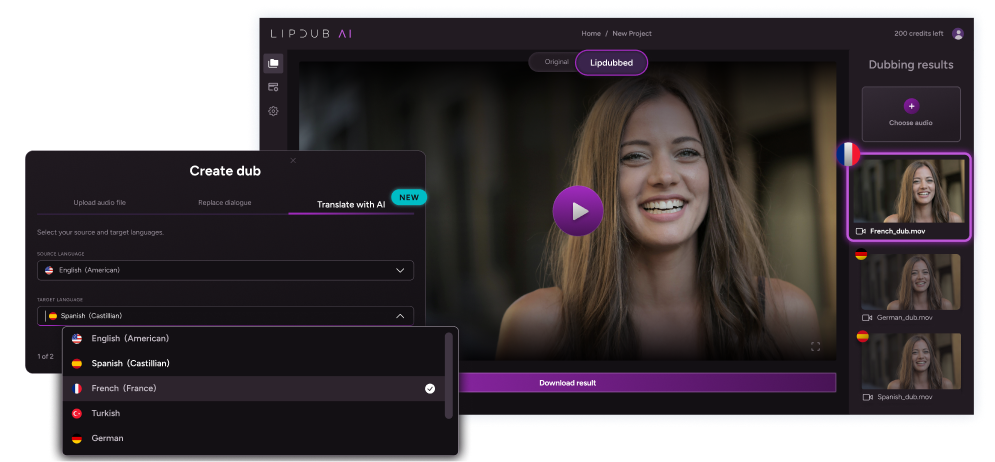
LipDub AI is designed for teams working with recorded video that needs to be translated across languages while keeping the original performance intact. Many tools translate dialogue but struggle with longer scenes, multiple speakers, or natural movement.
LipDub AI gives teams control over translations before generation and maintains consistent visual and audio output across different videos and languages. It fits marketing teams, agencies, and production workflows that need predictable, high-quality localization output.
Key Features
Translation Editing: Review and adjust translations before generation to match tone, context, and intent.
Custom Vocabulary: Lock brand terms, product names, and key phrases for consistency across languages.
Voice Cloning: Maintain the original speaker’s voice across different languages.
Multi-Speaker Sync: Keep timing and interaction accurate across multiple speakers.
Dynamic Lip Sync: Align speech with natural movement, angles, and scene changes.
Batch Video Creation: Generate multiple localized versions from a single source video.
LipDub AI’s pricing is based on credits, workflow requirements, and team size.
Core plan is $29 monthly for 30 credits, giving you up to 15 minutes of translated video content per month.
Growth plan is $99 monthly for 100 credits, giving you up to 50 minutes of translated video per month.
Scale plan is $249 monthly for 250 credits, giving you up to 125min of translated video per month.
The Enterprise plan offers custom pricing based on volume and includes API access along with dedicated support. Check more details on the pricing page.
Pros
Maintains visual and audio consistency across translated videos.
Gives control over translations before final output.
Handles longer and more complex video content reliably.
Works across multiple speakers and dynamic scenes.
Larger projects may require more credits or a higher plan.
Some planning is needed before running bigger campaigns.
2. HeyGen
Best For: Avatar-based video creation and fast multilingual content
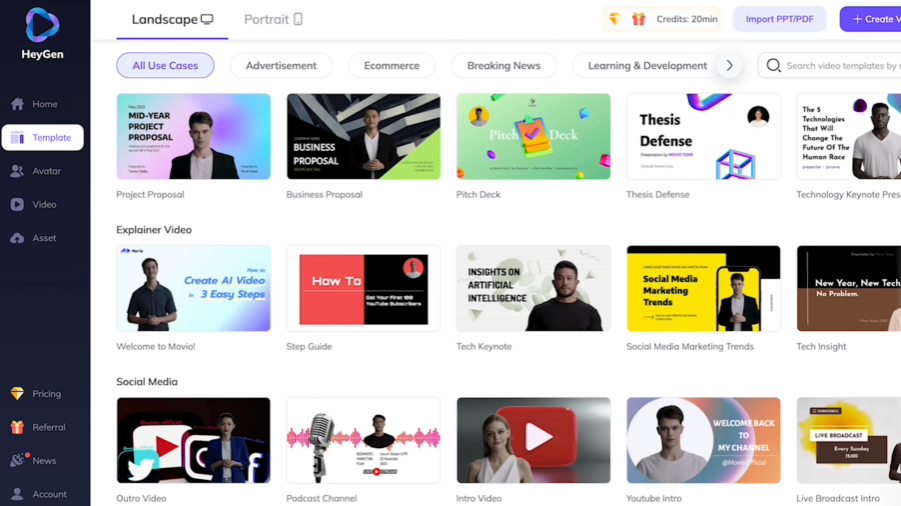
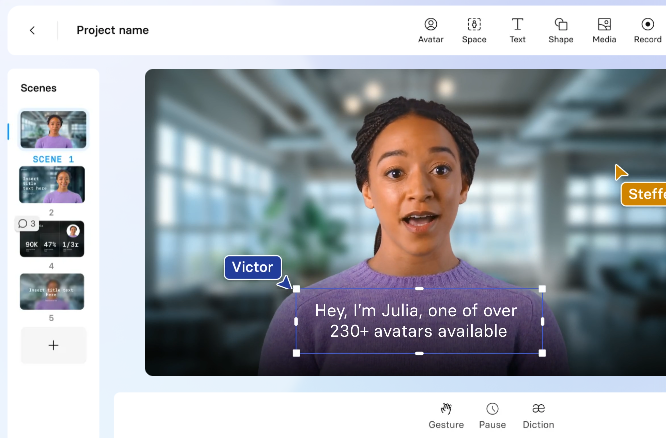
HeyGen is another Panjaya competitor used to create videos from scripts without recording footage. It is commonly used for courses and training content, marketing videos, and internal communication. Users generate videos using AI avatars, voiceovers, and templates instead of editing real footage.
Key Features
AI Avatars: Create videos using stock avatars or custom digital twins.
Text-to-Video: Generate full videos from scripts with voice and visuals.
Video Translation: Translate videos into 175+ languages with voice cloning and lip sync.
Template-Based Editing: Build videos using pre-designed layouts and scenes.
Pricing
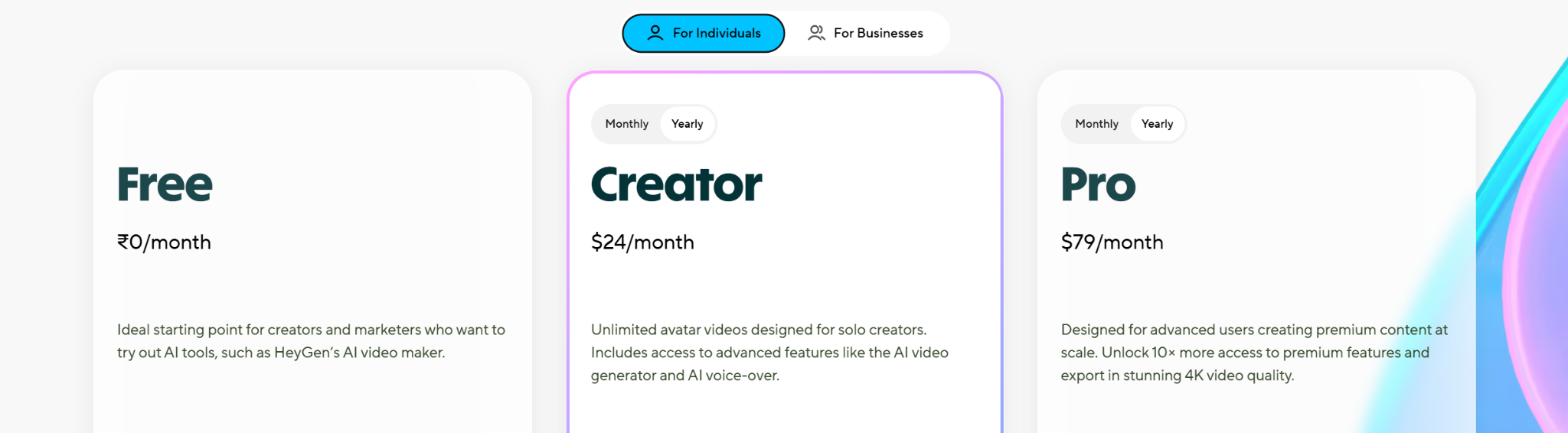
Free: $0 per year. Limited video creation and basic features.
Creator: $24 per month billed annually. Includes unlimited avatar videos and voice cloning.
Pro: $79 per month billed annually. Adds faster processing, 4K export, and advanced features.
Business: $119 per month billed annually. Includes collaboration tools and integrations.
Enterprise: Custom pricing. Includes advanced security, onboarding, and support.
Pros
Easy to create videos without filming or editing.
Wide language support for global content.
Fast turnaround for scripted videos.
Simple interface for non-technical users.
Cons
Not designed for editing real live-action footage.
Avatar output can feel less natural in longer videos.
Limited control over detailed scene adjustments.
3. VEED
Best For: Fast browser-based video editing and simple multilingual content.
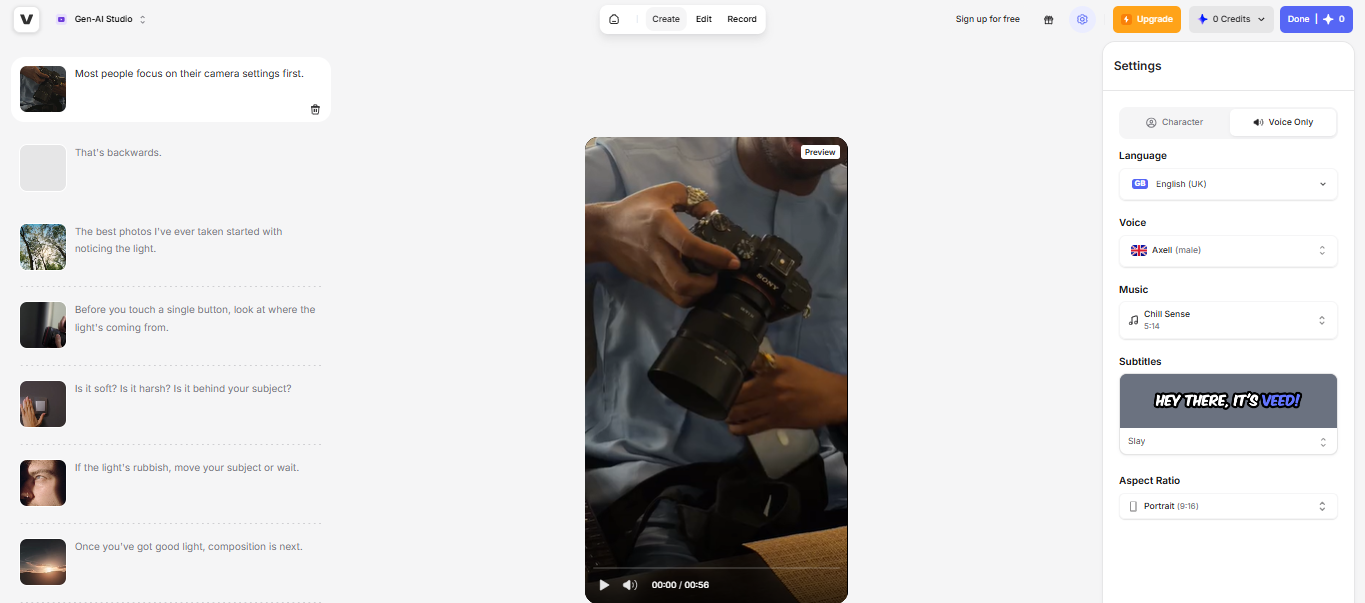
VEED is a browser-based platform used to create, edit, and publish videos in one place. It is commonly used for marketing content, social media, internal communication, and basic video translation. Users can add subtitles, clean audio, generate clips, and edit videos using built-in AI tools.
Key Features
Browser-Based Editing: Create and edit videos online without installing desktop software.
Auto Subtitles: Generate subtitles quickly and style them for different formats and channels.
AI Translation and Localization: Translate spoken content and create localized versions for multilingual use.
Team Collaboration: Share drafts, collect feedback, and manage branded assets in one workspace.
Pricing
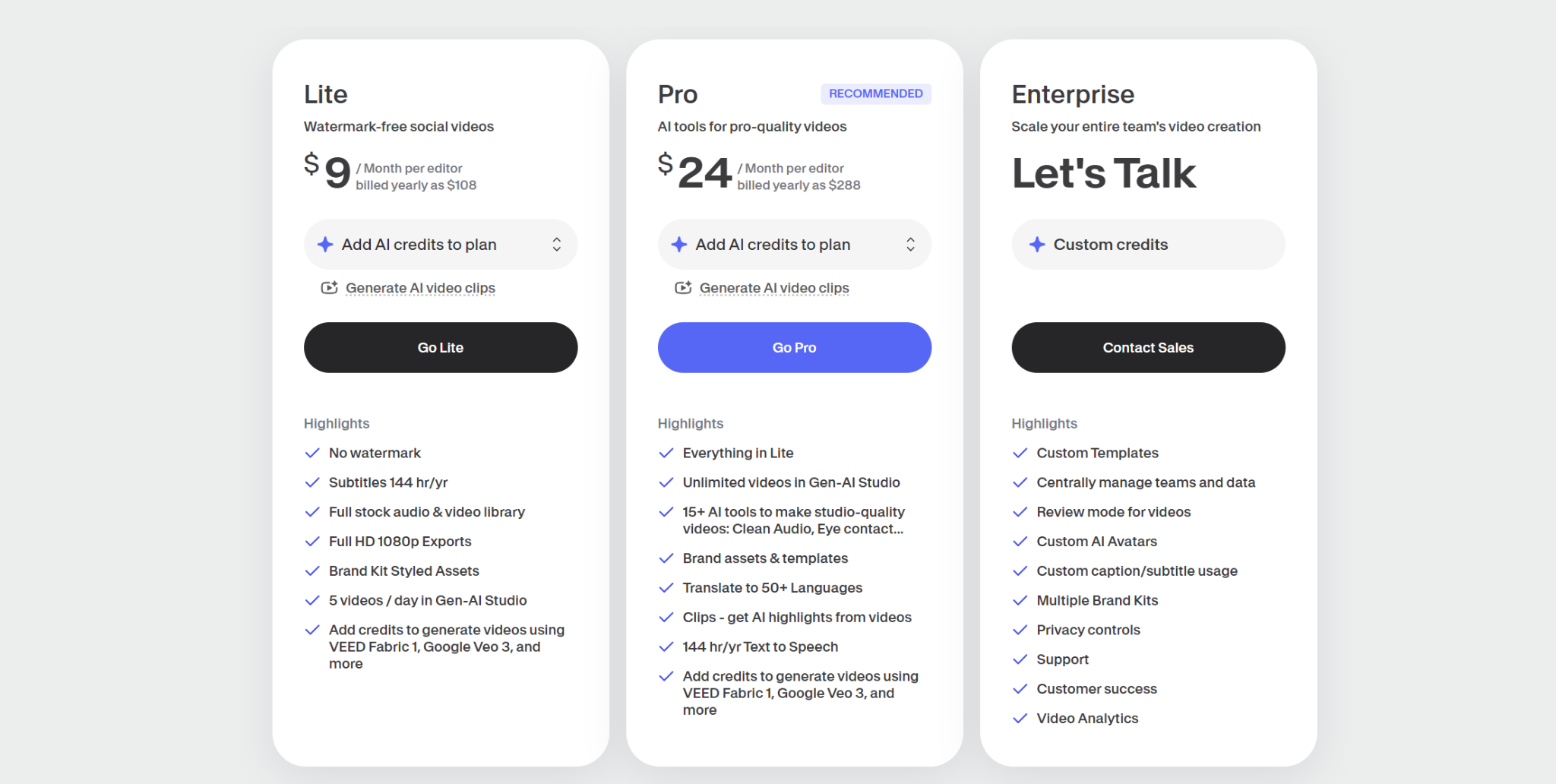
Lite: $9 per month billed annually. Includes watermark-free videos, subtitles, full HD exports, and stock media access.
Pro: $24 per month billed annually. Adds unlimited videos in Gen-AI Studio, brand assets, translation to 50+ languages, and more AI tools.
Enterprise: Custom pricing. Includes custom templates, privacy controls, team management, support, and video analytics.
Pros
Easy to use for quick editing and publishing.
Strong subtitle and caption tools for social and marketing content.
Keeps editing, collaboration, and publishing in one platform.
Good fit for teams that need speed and simple workflows.
Cons
Translation and dubbing are not its deepest strength.
Less suited to complex live-action localization work.
Some advanced features sit behind higher plans.
4. Murf.ai
Best For: AI voiceovers and text-to-speech for content production
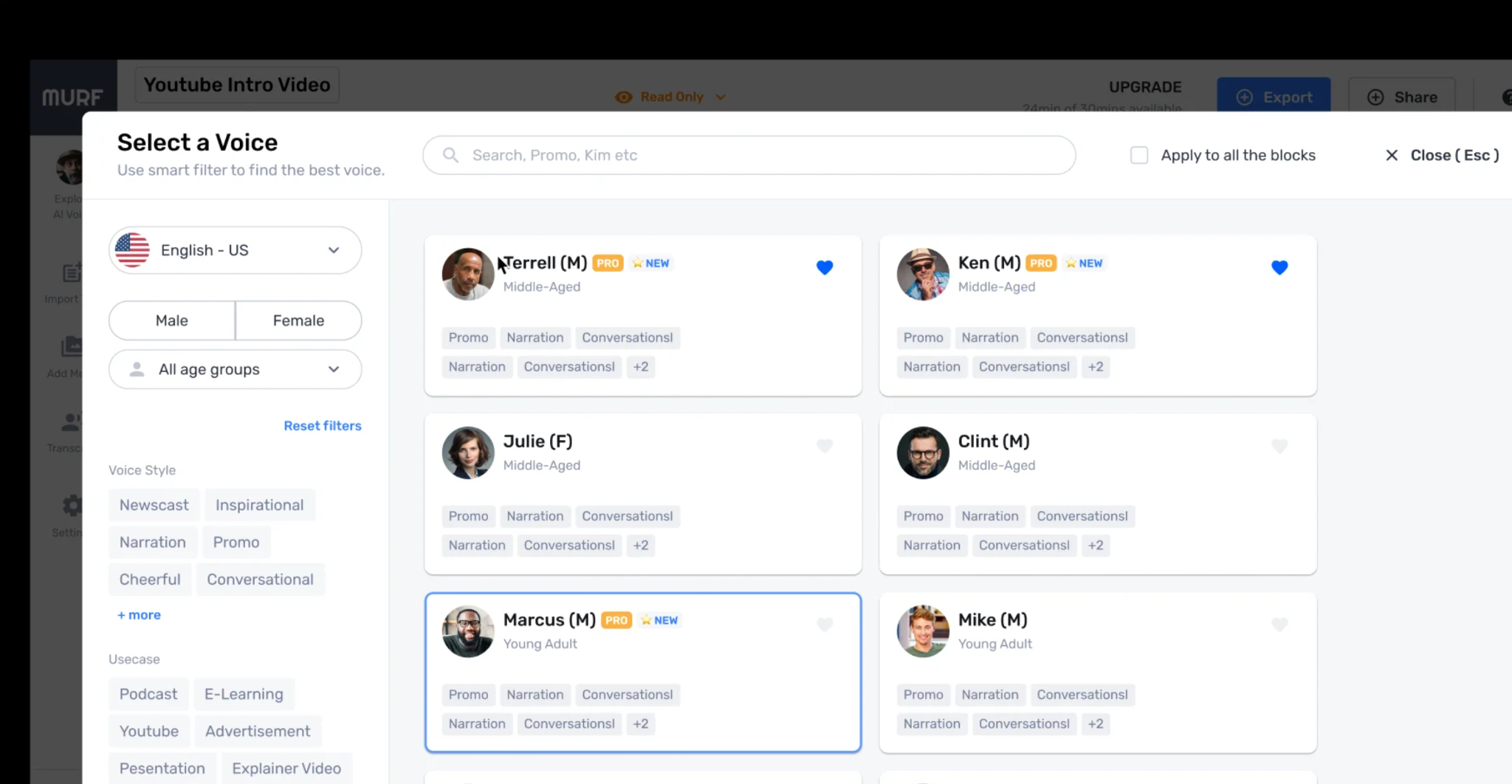
Murf.ai is built to generate voiceovers for social media content, e-learning modules, marketing videos, presentations, podcasts, and ads. It allows teams to turn scripts into audio instead of recording voice talent manually, making it easier to produce voice content across different use cases.
Key Features
Text-to-Speech Studio: Convert scripts into natural-sounding voiceovers with control over tone and delivery.
Voice Library: Access 200+ voices across 35+ languages with different styles and accents.
Voice Customization: Adjust pitch, speed, emphasis, and pronunciation for better accuracy.
AI Localization and Translation: Translate and adapt voice content into multiple languages while keeping tone aligned.
Pricing
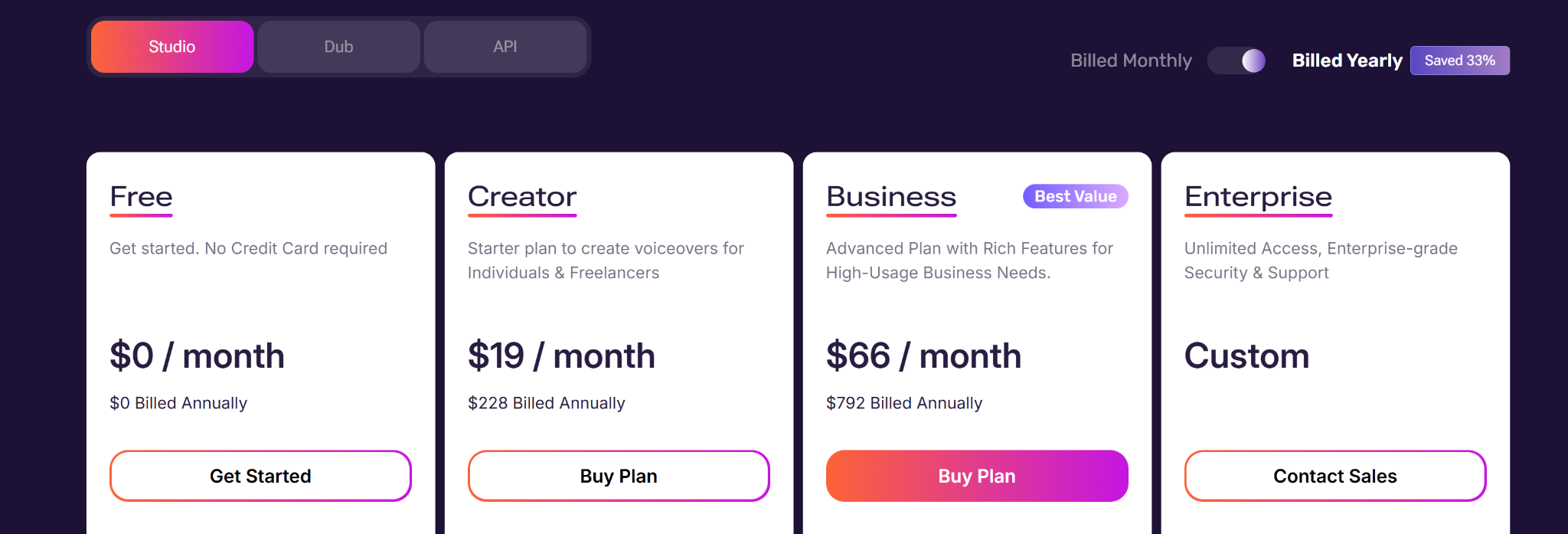
Studio (voiceover)
Free: $0 per month billed annually. Includes limited projects and voice generation time.
Creator: $19 per month billed annually. Includes 24 hours of voice generation per year and access to a full voice library.
Business: $66 per month billed annually. Includes higher usage limits, more projects, and expanded features.
Enterprise: Custom pricing. Includes unlimited generation, custom workflows, and support.
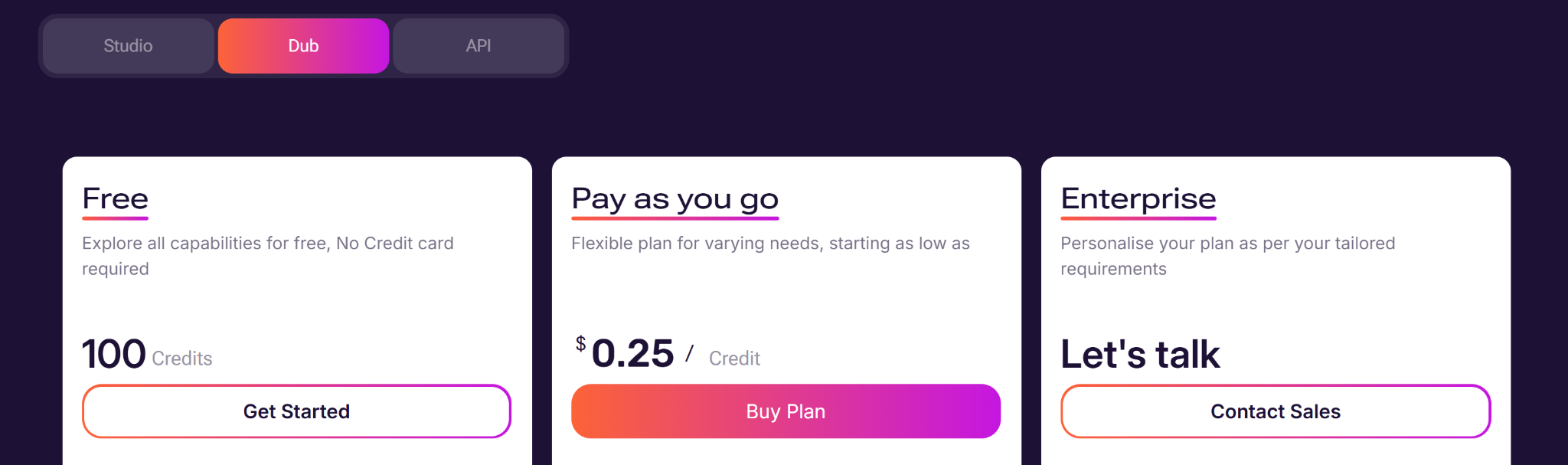
Dubbing (translation)
Free: $0. Includes limited credits and basic dubbing features.
Pay-as-you-go: Starts at $0.25 per credit. Flexible usage based on volume.
Enterprise: Custom pricing. Includes QA support, scale, and advanced controls.
Pros
Supports both voiceover creation and video dubbing in one platform.
Works well for structured content like courses, ads, and presentations.
Reduces the need for recording equipment and voice talent.
Cons
Voice output can still vary depending on script quality.
Higher usage can become expensive as minutes or credits increase.
Can sound less expressive in some cases.
5. Synthesia
Best For: Avatar-led training and internal communication videos.
Synthesia is built for teams that want to turn scripts, documents, or slides into presenter-style videos. It is commonly used for employee training, onboarding, product explainers, and internal communication.
Key Features
AI Avatars: Create videos using a large library of avatars or custom digital twins.
Script to Video: Turn text, slides, or documents into structured video content.
Multilingual Support: Generate videos in 160+ languages with synced voice and lip movement.
AI Video Assistant: Convert ideas or content into ready-to-edit video drafts.
Pricing
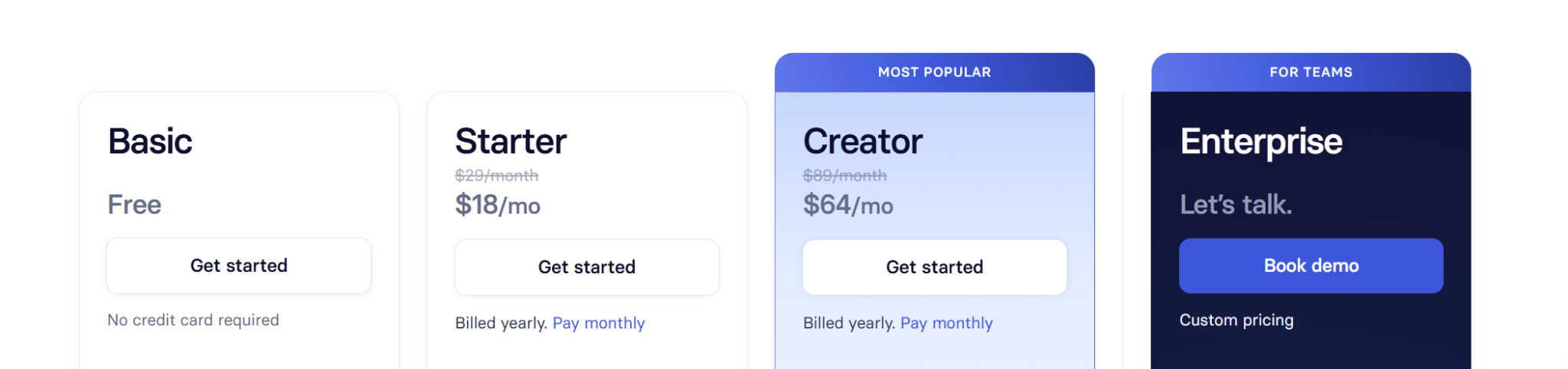
Basic: Free plan. Includes limited video minutes and starter avatars.
Starter: $18 per month billed annually. Includes video downloads, AI video tools, and avatar access.
Creator: $64 per month billed annually. Adds personal avatars, dubbing, API access, and more usage.
Enterprise: Custom pricing. Includes unlimited video minutes, team features, and advanced controls.
Pros
Consistent presenter style across many videos.
Simple workflow for non-technical teams.
Strong language support for global training.
Good fit for onboarding and internal content.
Cons
Avatar output can feel artificial.
Limited flexibility for live-action style videos.
Usage limits on lower plans.
How to Choose the Right Panjaya Alternative
Different tools solve different parts of video localization. The right choice depends on your video type, level of control, and how consistent results need to be from one version to another.
Here’s what to look out for:
Check if the tool works with real footage or only generates avatar videos.
Look for the ability to review and adjust translations before final output.
See how well speech matches timing, movement, and different camera angles.
Evaluate how natural voices sound across languages.
Make sure conversations and speaker changes stay aligned.
Ensure it can handle multiple videos or languages while keeping output consistent.
LipDub AI: The Best Panjaya Alternative for Video Localization
Most tools in this list focus on creating new videos, editing content, or generating voiceovers. They work well for speed and simple localization, but they are not built for translating existing video while preserving how it originally looks and sounds.
LipDub AI is designed for translating recorded video across languages while keeping voice, timing, and visuals aligned. It gives teams control over translations before generation and maintains consistent output across longer and complex content.