10 Best Synthesia Alternatives to Scale Your Video Content in 2026 Compared
Compare the 10 best Synthesia alternatives of 2026. Review features and pricing for LipDub AI, HeyGen, and more to find the right tool for your video workflow.
Quick Summary
Your choice of an AI video platform depends on whether you need digital avatars or realistic translation of existing footage. Synthesia is known for avatar videos, but many teams still prefer real footage to preserve the value of natural, human engagement. This guide compares 10 Synthesia alternatives, including LipDub AI, HeyGen, and Colossyan, based on features, pricing, and production needs.
Here are our top three picks:
LipDub – Blog Table
#
Tool
Best For
1
LipDub AI
High-fidelity video translation using real footage.
2
Colossyan
Scenario-based training and interactive corporate learning videos.
3
HeyGen
Fast avatar generation and video translation for social media creators.
When Your Videos Need More Than AI Avatar Tools
Teams often start with AI avatar video tools because they are quick to launch and easy to set up, but real training or marketing videos need tighter control. A small issue with tone, timing, or lip sync can make longer lessons or multi-speaker scenes look less professional.
Many teams also need to translate existing footage while keeping the speaker’s real voice and emotion. This guide compares Synthesia alternatives that support accurate video translation, clearer editing control, and stable lip sync, so you can choose with clear expectations.
Why Listen to Us?
At LipDub AI, we built proprietary technology to solve real video translation challenges. Many generic models struggle with visual consistency or break down on longer content. Our platform keeps voice, lip sync, and lighting natural across full-length videos. LipDub is used by teams at major agencies such as WPP and Ogilvy, along with global advertising groups and entertainment studios working at the highest level of professional production.
Comparison of the Best Synthesia Alternatives
LipDub – Blog Table
#
Tool
Best For
Key Strength
Starting Price
1
LipDub AI
Teams working in video production, marketing, sales, and e-learning
Visual authenticity and original footage realism
Free Trial / $19/mo
2
HeyGen
Marketers needing fast social clips
Large library of natural-moving avatars
Free Trial / $29/mo
3
Colossyan
Instructional designers and L&D teams
Interactive learning and scenario-based training
Free trial /$27/mo
4
D-ID
Customer service and user onboarding
Real-time conversational digital humans
14-day Trial / $5.9/mo
5
Elai.io
Corporate trainers and educators
Automated content generation from text or URLs
Free Trial / $29/mo
6
Pictory AI
Social media managers and content creators
Repurposing long-form content into short clips
Free Trial / $29/mo
7
Camtasia
Technical trainers and tutorial creators
Professional screen recording and timeline editing
$39/year, annual billing
8
Animoto
Small businesses and non-professionals
Simple drag-and-drop template-based creation
Free Trial / $19/mo
9
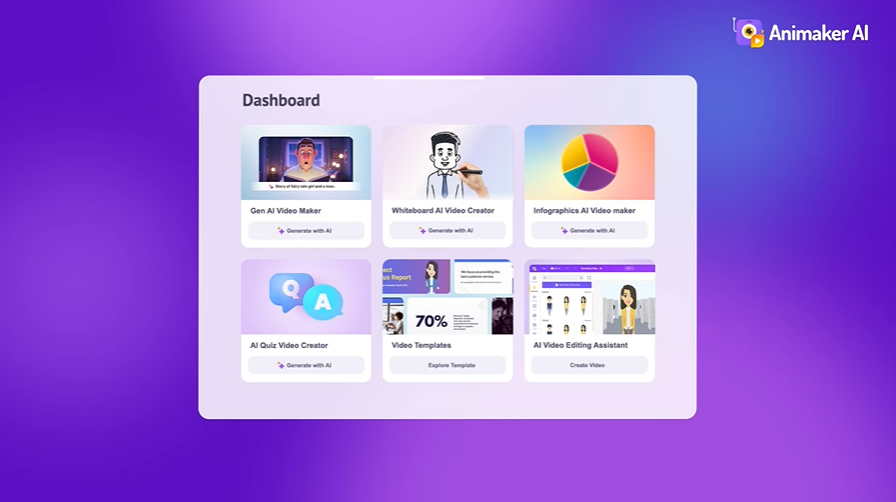
Animaker
Creative teams and animators
Robust character builder and massive asset library
$27/mo
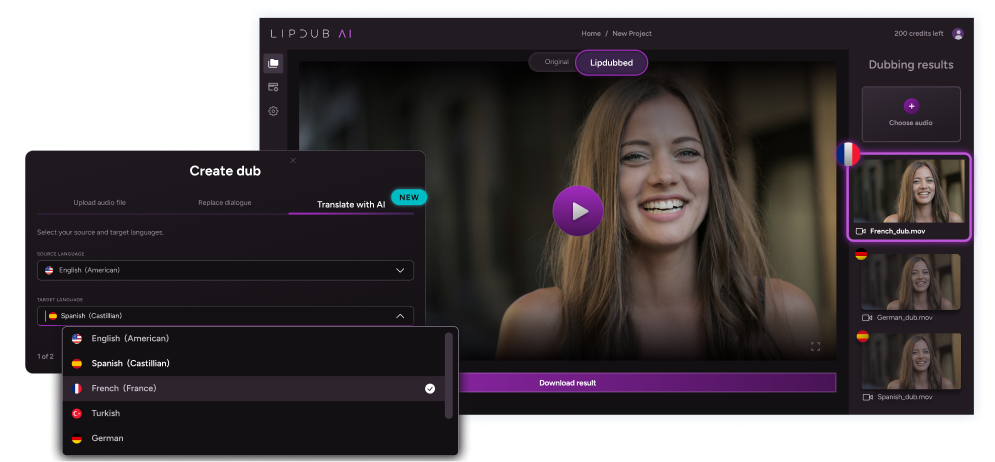
1. LipDub AI
LipDub AI is a provides a video-to-video solution for translating and personalizing content without losing realism. While many alternatives use digital avatars, this platform uses your original footage to preserve the speaker's true performance and emotion. It focuses on visual authenticity and offers long-form support for professional marketing, sales or education teams.
Key Features
Voice Library: Access more than 5,000 expressive AI voices to find the right tone for every project.
Dialogue Replacement: Swap specific lines or update your call to action without the need for a reshoot.
Multi-Speaker Sync: Manage natural interactions and timing between multiple people speaking in the same scene.
Dynamic Movement Tracking: Maintain accurate lip sync across changes in lighting and posture within your video editing workflow.
Data Ownership: Your video content is never used to train AI models to protect your brand assets.
Batch Generation: Create hundreds of localized versions of a single video to reach different audiences globally.
You can try the platform for free to evaluate the technology and lip sync quality.
Core plan is $29 per month and includes 30 credits, giving you up to 15 minutes of lip-synced video content.
Growth plan is $99 monthly for 100 credits, giving you up to 50 minutes of lip-synced video content.
Scale plan is $249 monthly for 250 credits, giving you up to 125 minutes of lip-synced video content.
The Enterprise plan offers custom pricing based on volume and includes API access along with dedicated support. Check more details on the pricing page.
Pros
Keeps original voice, emotion, and facial detail across translated videos
Lets you edit translations before generating the final output
Handles multi-speaker scenes with stable lip sync alignment
Supports long videos where many AI tools lose quality
Protects footage with strict data ownership and private processing
Cons
Requires existing recorded footage, does not create avatar videos
Higher volume projects may need more credits or paid plan
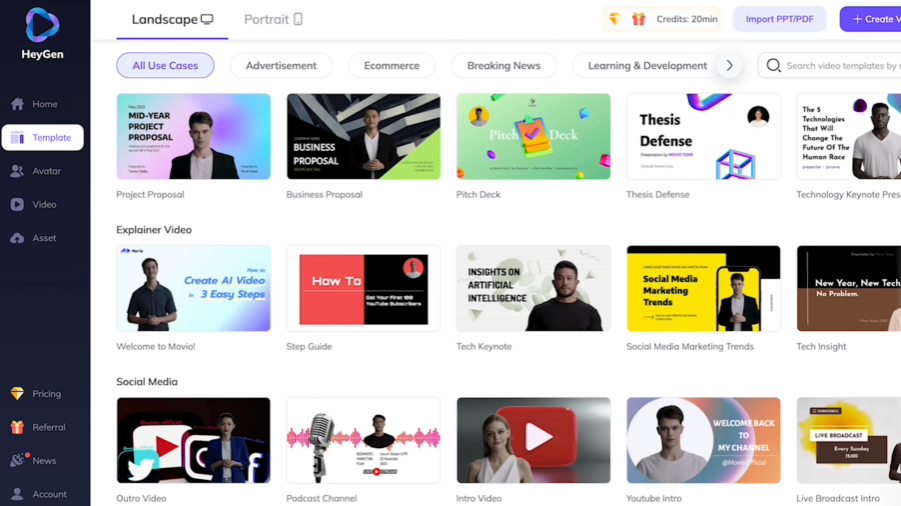
2. HeyGen
HeyGen is an AI video generator built for speed and ease of use. It helps you create professional videos using lifelike AI avatars that can turn text, images, or audio into complete video content. The platform specializes in fast avatar generation and video translation, making it a good choice for marketers and creators who need to produce high-quality social clips or business presentations.
Key Features
AI Avatar Generator: Turn photos into digital duplicates or choose from over 1,000 stock avatars that can move and gesture naturally.
Video Translator: Instantly localize your videos into over 175 languages and dialects while keeping your original voice and tone.
Text to Video: Generate complete 1080p or 4K videos by simply pasting a script, which the AI then pairs with a voiceover and visuals.
AI Studio Editor: Use a simple, text-based interface to direct and refine your videos as easily as editing a document.
Pricing
HeyGen offers a free entry point to test the tools.
Creator: $29 monthly for unlimited videos up to 30 minutes each with 1080p export and voice cloning.
Pro: $99 monthly for unlimited videos at 4K quality with faster processing and early access to new features.
Business: $149 monthly for videos up to 60 minutes, including 5 custom digital twins and team collaboration tools.
Enterprise: Custom pricing for large-scale needs, offering dedicated support, tailored onboarding, and unlimited video duration.
Pros
Large avatar library helps create presenter videos without filming
Fast text-to-video workflow saves time on marketing clips
Supports many languages for quick multilingual video creation
Simple editor makes script changes easy for non-editors
Cons
Avatar realism can look stiff in longer conversational scenes
Lip sync accuracy may vary across languages and accents
Limited control when editing real recorded footage or scenes
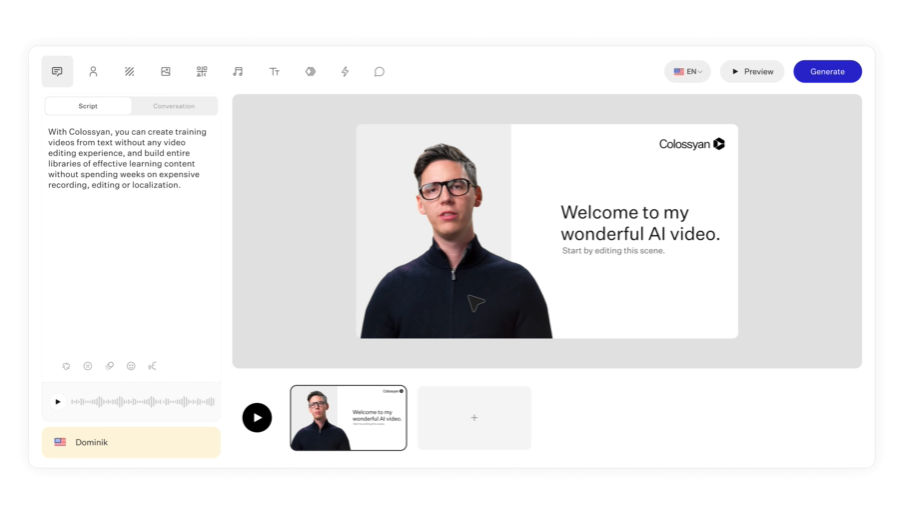
3. Colossyan
Colossyan specializes in scenario-based learning or interactive corporate training. It allows designers to turn static documents into professional videos using AI avatars. The platform simplifies producing, updating, or scaling video-led training for global teams.
Key Features
Interactive Learning: Add quizzes and branching scenarios where viewers make decisions that impact the video's progression.
Conversation Mode: Feature two AI avatars interacting in the same scene to demonstrate role-play or sales scenarios.
Document-to-Video: Automatically convert existing PDF, PPT, or DOC files into narrated video drafts.
SCORM Export: Download content in a standard format that is compatible with most Learning Management Systems (LMS).
Pricing
Starter: $27 monthly for 15 minutes of video per month and access to over 70 AI avatars.
Business: $88 monthly for unlimited minutes of video, 10 auto-translations per month, and interactive video features.
Enterprise: Custom pricing for teams scaling production with over 200 avatars, brand kits, and advanced security features like SSO.
Pros
Scenario-based training works well for corporate learning programs
Interactive quizzes help track learner progress inside training modules
Document-to-video saves time on updating training materials
SCORM export works with most LMS platforms for easy deployment
Cons
Lip sync accuracy may look off in some languages
Avatar realism may feel limited in longer role-play scenes
Advanced features need time to learn for new users
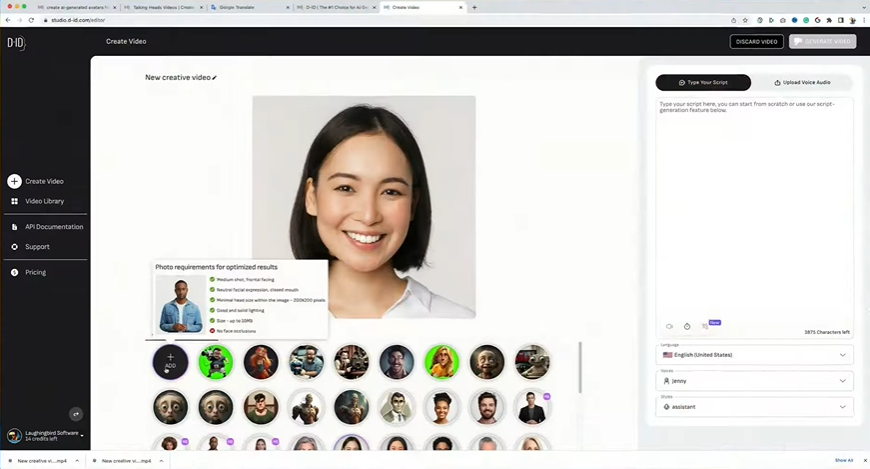
4. D-ID
D-ID specializes in creating advanced Interactive Visual Agents, which are hyper-realistic digital humans designed for real-time conversations. The platform focuses on adding a human layer to digital experiences, allowing organizations to automate customer service and user onboarding through face-to-face interactions.
Key Features
Visual AI Agents: Build interactive digital humans that can engage in real-time, face-to-face conversations on your own website or application.
Video Studio: Transform scripts, documents, or slide decks into polished avatar videos in minutes for quick content turnaround.
Photo-to-Avatar: Animate any static portrait or image into a talking head, allowing for fast prototyping and creative flexibility.
Real-time Streaming API: Integrate high-quality animation features directly into your existing platforms for live or interactive use cases.
Pricing
D-ID offers a 14-day trial followed by several tiered subscriptions.
Lite: $5.9 monthly for 10 minutes of video per month.
Pro: $29 monthly for 15 minutes of video per month and access to voice cloning and premium voices.
Advanced: $196 monthly for 100 minutes of video per month with additional features like a custom logo and faster processing.
Enterprise: Custom pricing for organizations needing unlimited video minutes, custom avatars, and dedicated customer success support.
Pros
Real-time digital humans work well for onboarding and support
API access helps teams build interactive video apps quickly
Photo-to-avatar feature speeds up quick video prototypes
Simple studio tools help create avatar videos without filming
Cons
Video minutes are low on cheaper plans
Customization options are limited for strict brand guidelines
Complex scripts may need manual fixes for accurate delivery
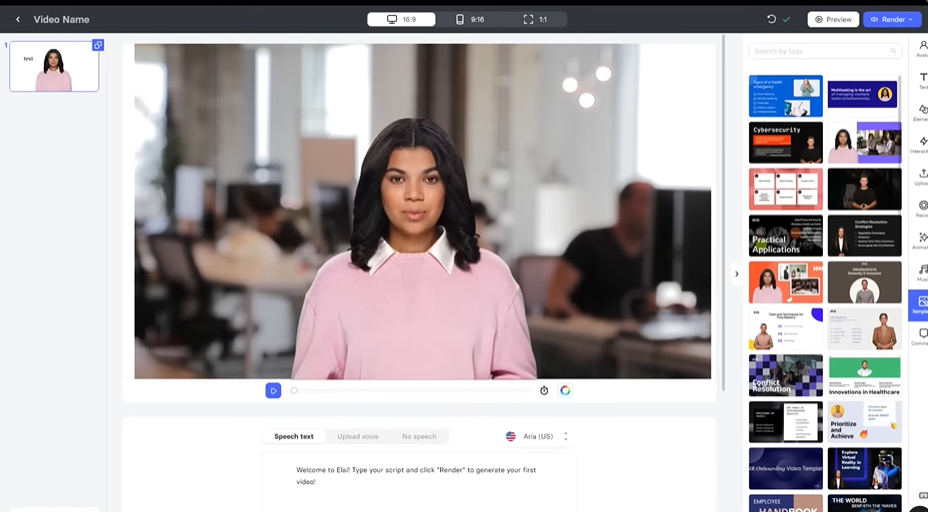
5. Elai.io
Elai.io is an all-in-one AI video generation platform specifically designed for continuous learning. This solution enables users to create interactive video content featuring digital human presenters in just minutes. It targets corporate trainers and educators who require scalable training resources generated quickly from text or URL inputs.
Key Features
AI Storyboard: Craft professional training scripts from scratch and transform them into structured video outlines with a few clicks.
PPTX-to-Video: Upload your PowerPoint files to transform them into video slides with editable components and digital narrators.
Interactive Quizzes: Add knowledge checks and interactive workflows directly into your videos to improve learner engagement and retention.
Article-to-Video Converter: Turn blog posts and long articles into narrated video summaries by providing a direct URL.
Pricing
Elai.io offers a risk-free trial and tiered subscription plans.
Creator: $29 monthly for 15 minutes of video per month and access to the full avatar and language library.
Team: $125 monthly for 50 minutes of video per month, featuring Ultra 4K HD support and seats for 3 editors.
Enterprise: Custom setup with unlimited users, unlimited video minutes, and dedicated premium support.
Pros
Turns slide decks into training videos without new recording
Interactive quizzes help track learner progress inside lessons
Storyboard tools keep long training courses organized
Works well for corporate learning and onboarding programs
Cons
Avatar realism may feel limited compared to real footage tools
Rendering can slow down on longer or more complex video projects
Pronunciation may vary across languages and industry terms
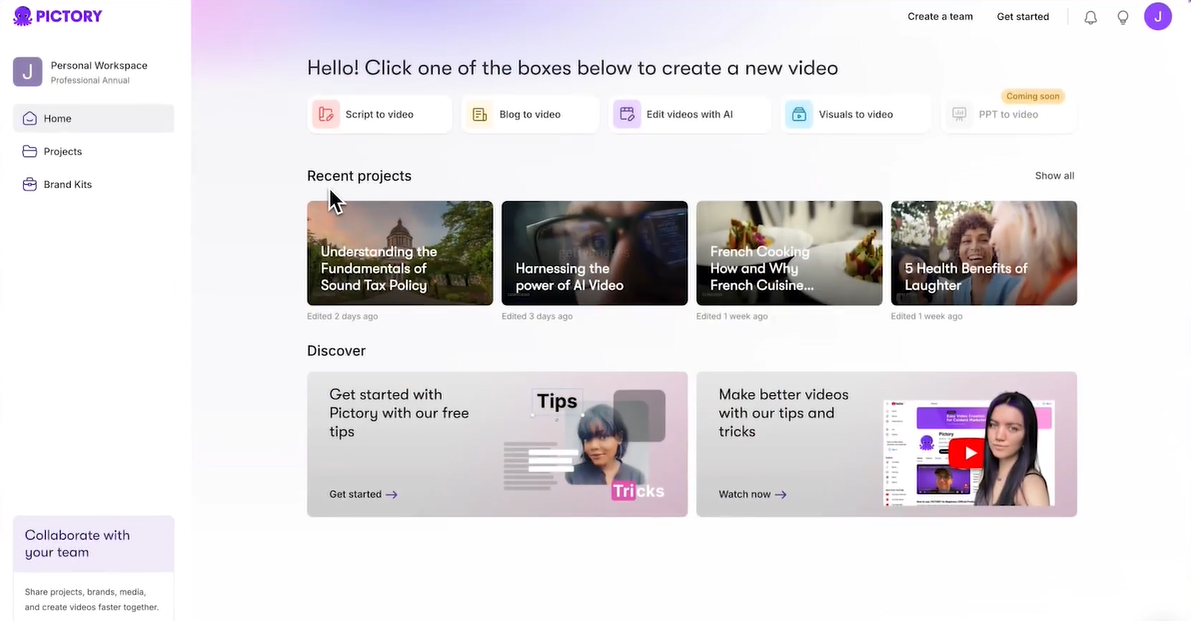
6. Pictory AI
Pictory is an automated video creation platform for marketers and content creators. It turns long-form content into short videos for sharing. The tool allows you to repurpose existing text or audio into professional video content quickly. This platform works for creating social media reels and shorts without requiring prior technical skills.
Key Features
Article-to-Video Generator: Turn blog posts and long articles into narrated video summaries by simply providing a URL.
Script-to-Video: Paste your text to let the AI build a complete storyboard with matching stock visuals, music, and voiceovers.
Video Summarization: Extract the most important points from long recordings to create short highlight reels automatically.
AI Studio: Create images and video clips from text prompts and add them directly into your scenes using the editor.
Pricing
You can get started for free to create up to three video projects and test the automated editing tools.
Starter: $29 monthly for 30 videos per month and basic AI voices.
Professional: $59 monthly for 60 videos per month and access to premium Getty Images footage.
Teams: $199 monthly for 90 videos per month and multi-user collaboration features.
Enterprise: Custom pricing for personalized onboarding and high-volume needs.
Pros
Turns blog posts into videos without manual editing work
Video summaries help reuse webinars and long recordings fast
Automatic captions save time on subtitle creation
Good tool for repurposing articles into short marketing clips
Cons
Stock visuals can look generic without manual replacements
AI voices may sound flat in longer videos
Monthly video limits restrict high-volume content teams
7. Camtasia
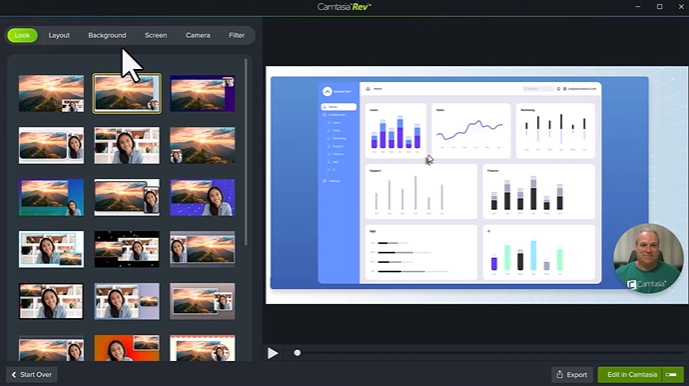
Camtasia is a comprehensive video editor and screen recorder designed for users who need a more traditional editing experience paired with modern AI capabilities. It allows organizations to produce professional-looking instructional and marketing videos through a standard timeline workflow.
Key Features
Screen Record: Capture your camera, microphone, and screen simultaneously to create polished tutorials and walkthroughs.
Camtasia Rev: Use AI-powered features to automatically remove background noise and webcam backgrounds from your recordings.
Script-to-Video: Generate professional video scripts from simple prompts and transform them into editable video drafts instantly.
Interactive Elements: Add quizzes and SCORM-compliant elements to your projects to improve learner engagement and track completion.
Starter: $39 yearly for advanced screen capture features and basic image editing.
Essentials: $179.88 yearly for professional video and audio editing, including speech-to-text transcription.
Create: $249 yearly for AI video creation tools like script generation and multi-language support.
Pro: $599 yearly for scaled video production with 49 unique avatar styles and professional audio translation.
Business: $198 per user yearly for flexible teams up to 99 users, including transferrable licenses.
Pros
Strong screen recording tools for tutorials and product demos.
Timeline editing gives precise control over video projects.
Interactive quizzes support structured training content.
Yearly pricing helps teams plan long term budgets.
Cons
No monthly plan, full payment required upfront each year.
Interface can feel complex for new video editors.
Large projects can slow down on lower spec computers.
8. Animoto
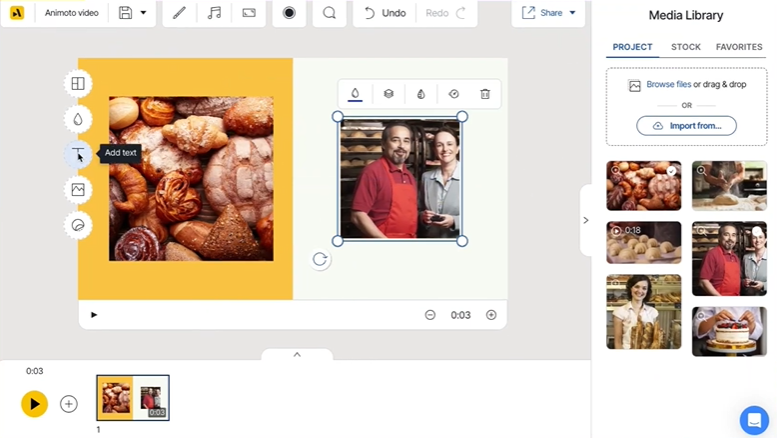
Animoto is a cloud-based video maker for non-professionals. It utilizes a drag-and-drop interface and a vast library of templates to help individuals and businesses turn photos, video clips, and music into engaging content. The platform is effective for social media marketing, internal communications, and educational presentations.
Key Features
Drag-and-Drop Editor: Arrange your media and text blocks easily without managing complex timelines or technical tools.
AI Video Maker: Generate unique video drafts automatically using your existing website content or uploaded media as a starting point.
Stock Media Integration: Access millions of professional photos and video clips from the Getty Images library directly within the editor.
Simultaneous Recording: Capture your screen and webcam at the same time to create effective technical tutorials or product demos.
Pricing
Free: $0 for unlimited video creation at 720p with Animoto branding and a limited stock library.
Basic: $19 monthly for HD 1080p downloads without watermarks and unlimited social sharing.
Professional: $29 monthly for access to 1 million stock assets, voice-over tools, and one saved brand kit.
Professional Plus: $79 monthly for accounts with up to 3 users, 100 million premium stock assets, and a license to resell videos to businesses.
Pros
Drag and drop editor makes video creation simple
Large stock library helps build videos without filming
Templates speed up social media and internal content
Easy tool for beginners with no editing experience
Cons
Limited advanced editing control for complex video projects
Branding and export limits exist on the free plan
Template based style can look repetitive across videos
9. Animaker
Animaker is an AI-powered video creation platform for teams or creators. It produces professional animation or live-action videos. The tool allows users to build high-quality content for training or marketing. It features a specialized character builder with a library of over 100 million stock assets to fuel creativity.
Key Features
AI Video Generator: Produce full-length, studio-quality videos from simple text prompts.
Avatar Maker: Build billions of unique, customizable characters to act as brand representatives in your videos.
AI Whiteboard Video: Create hand-drawn whiteboard animations instantly from a script.
AI Voice Generator: Transform text into realistic voiceovers using over 1,000 human-like voices across 200 languages.
Pricing
Basic: $27 monthly for 5-minute video lengths and 10 AI video generations per month.
Starter: $45 monthly for 15-minute video lengths and 200 AI video generations per month.
Pro: $79 monthly for 30-minute video lengths, 300 AI video generations, and commercial rights.
Enterprise: Custom pricing for organizations needing unlimited video lengths, team licenses, and a dedicated account manager.
Pros
Large character builder helps create custom animated presenters
The huge asset library supports many video styles
AI voice tools support many languages and accents
Good option for animated training and marketing videos
Cons
Interface can feel crowded for new users
Rendering time can be slow on longer projects
Advanced features are locked behind higher-priced plans
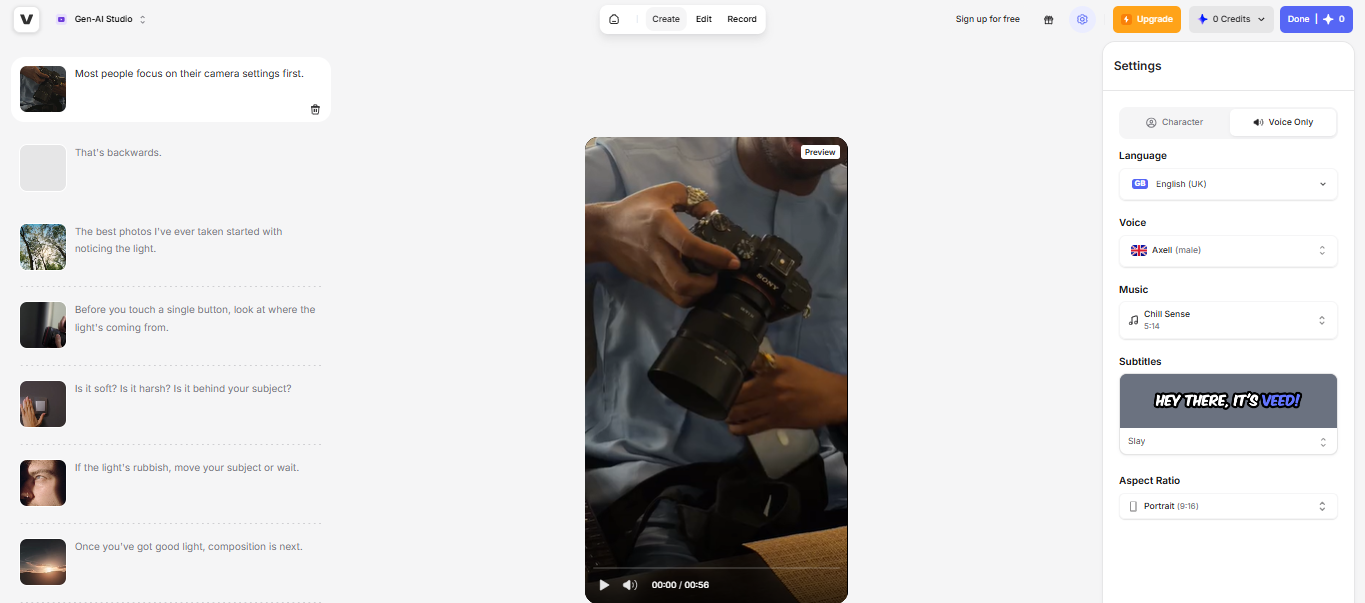
10. VEED
VEED is a browser-based video editor that combines AI avatars with traditional tools. It provides a flexible workflow for social media teams producing high volumes of short-form content. Although its avatars are less realistic than specialized competitors, the platform offers broader functionality for quick brand updates.
Key Features
Auto Subtitle Generator: Add accurate subtitles to your videos in one click to improve engagement on social platforms.
Magic Cut: Automatically remove filler words and awkward silences from your recordings to create a cleaner final edit.
AI Avatars: Generate talking-head videos from text scripts using a library of digital presenters for faster content production.
AI Voice Cloning: Create a digital twin of your own voice to maintain consistency across every video project you produce.
Pricing
VEED offers a free plan and tiered subscription plans.
Lite: $19 monthly per editor for watermark-free 1080p exports and 12 hours of auto-subtitles per month.
Pro: $49 monthly per editor for 4K exports, AI voice cloning, and translation features for over 50 languages.
Enterprise: Custom pricing for large organizations requiring team management tools, custom avatars, and dedicated support.
Pros
Browser editor lets teams edit videos without installs
Auto subtitles save time on caption creation
Magic Cut removes filler words and pauses quickly
Good tool for social media video production
Cons
Avatar realism is lower than that of specialized avatar video platforms
The free plan adds a watermark and export limits
Performance can slow down on long or complex videos
What to Look for in a Synthesia Alternative
Professional video requires more than simple text-to-speech. You need tools that protect the human connection in your content.
Prioritize software that allows you to:
Keep full editorial control by adjusting translations for tone and nuance before you generate.
Preserve the original skin tones and lighting of your speaker to maintain visual quality.
Achieve realistic lip-sync across side profiles and natural movement to avoid a robotic look.
Ensure voice consistency through cloning that keeps the speaker’s real emotion intact.
Support long content with platforms built to handle videos over 60 seconds without quality drops.
Choose the Best Tool for Your Business
The next software you choose will depend on whether you need digital characters or realistic localization. While tools like Synthesia, VEED, and Animaker work well for avatar-led training, LipDub AI is designed for teams that work with original footage. Our technology preserves the performance of the speaker while providing full editorial control, so you maintain quality and accuracy as you grow.