March 6, 2026
Synthesia Pricing Guide 2026: Compare Features and Costs
Compare Synthesia pricing in 2026. See plan costs, video limits, and upgrade triggers, and when LipDub AI is more cost-effective for professional production teams.

Compare Synthesia pricing in 2026. See plan costs, video limits, and upgrade triggers, and when LipDub AI is more cost-effective for professional production teams.
Synthesia pricing is based on credits, video minutes, and editor access. Plans start with a free tier, with paid tiers beginning at $14 per month billed yearly and scaling to custom enterprise pricing. LipDub AI pricing ranges from about $205 per year to custom enterprise plans for large volume needs. This guide explains Synthesia’s plan costs, upgrade triggers, and when LipDub AI gives better cost control for high-quality production workflows.
Synthesia pricing works best when your video workflow is predictable and script-driven. Teams creating short training lessons, onboarding modules, or internal explainers often have clear output goals and stable production needs. In those cases, a structured plan is easier to budget.
Pricing becomes harder to manage when projects require frequent revisions, filmed footage, or changing collaboration needs. Understanding your video style, production pace, and approval process helps you see whether Synthesia pricing aligns with how your team creates content.
At LipDub AI, our technology is built in-house to solve production challenges across everyday marketing content and complex video production workflows. We partner with creative networks such as WPP and Ogilvy and studios like HBO that operate at the highest level of professional production. This experience keeps our reviews grounded in workflow costs, editing needs, and practical video production context.
Synthesia plans are often described using video minutes, but the platform actually measures usage using credits. Each second of generated video typically consumes two credits. This means the credit balance included in a plan roughly corresponds to the number of video minutes the plan supports.
The Basic plan is free and includes about 1,200 credits per month, which is equivalent to about 10 minutes of generated video, with access to a small set of AI video avatars used to generate presenter-style videos. It is mainly designed for testing the platform, exploring templates, and getting familiar with the editor rather than running production video workflows.
The Starter plan costs about $18 per month when billed yearly. It increases video capacity to about 120 minutes per year and expands the avatar library to more than 125 options. This tier is typically used by individuals or small teams producing occasional training or marketing videos.
The Creator plan costs about $64 per month when billed yearly and increases yearly generation limits to about 360 minutes. It adds features such as API access, interactive video tools, branded video pages, and priority support. This tier is generally used by marketing teams or learning teams that produce scripted videos regularly.
Enterprise pricing is custom and designed for large organizations producing videos at scale. It includes unlimited video minutes, larger collaboration teams, advanced security features like SAML and SSO, and enterprise integrations. This plan is intended for companies running large training programs or multilingual video production.
The free and lower tiers make it easy to test AI video before committing to a large budget. Teams can validate use cases like onboarding or simple course modules before scaling.
Starter and Creator plans include templates, avatars, and basic editing in one subscription. This avoids paying for separate video software when you only need scripted avatar videos.
When teams produce similar videos each month, yearly minute limits help estimate cost ahead of time. This is why Synthesia pricing works well for internal training programs or repeatable course content.
Avatar videos remove studio recording, actors, and filming logistics. Many teams use Synthesia to replace expensive re-recording cycles when scripts change.
Starter and Creator plans include the browser editor and templates. Teams that do not have dedicated video editors can still create consistent videos quickly, which helps reduce production time.
Credits correspond to video minutes based on video length. Teams creating longer lessons or many short updates often run out faster than expected, which forces upgrades earlier than planned.
Some users note that the step from mid-tier plans to Enterprise is significant. Teams that need slightly more minutes or collaboration options may face a higher price tier sooner than expected.
Studio avatars, extra credits, and some integrations cost extra. Teams may start with one budget and later find the total cost is higher than expected.
Starter and Creator plans include one editor and a few guests. Teams with many reviewers or approval steps may need a higher tier just to match their workflow.
Synthesia plans are easier to manage when video output is predictable. Teams that need frequent revisions, longer lessons, or more collaboration often move through minute limits faster, which can push them into higher pricing tiers sooner than expected.
Across Synthesia’s G2 reviews, feedback shows satisfaction with ease of use while noting concerns about pricing tiers and upgrade costs as teams scale.
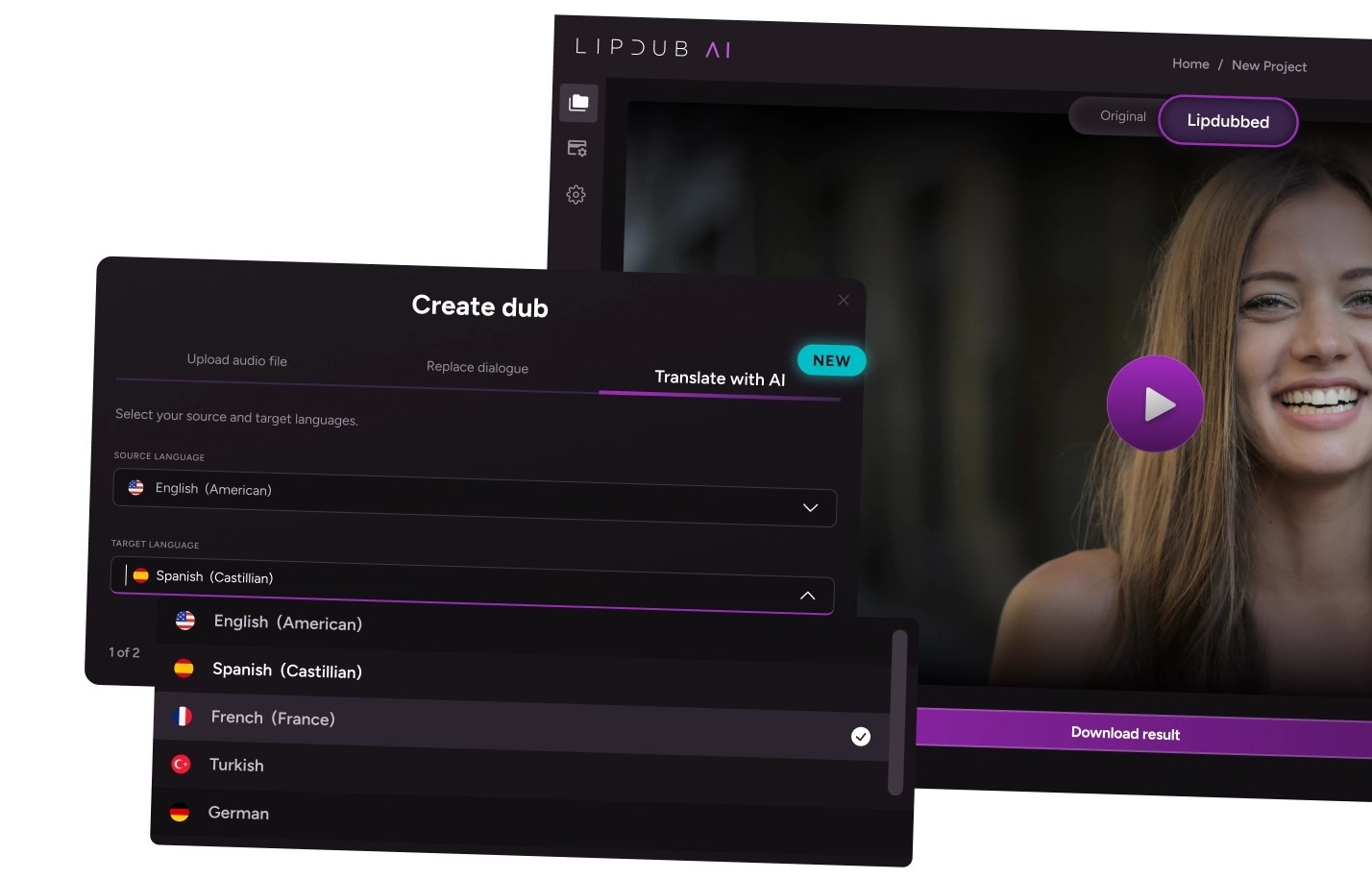
LipDub AI is built for teams that create personalized video at scale while keeping professional production quality. It helps teams record once, localize or update content for different audiences, and keep consistent voice, tone, and performance across campaigns and training programs.
“I’ve used all the platforms — HeyGen, Synthesia, others — and none match LipDub’s quality, especially for longer or more complex scenes. It’s the only one that gives me what I need.”
1. Top-Up Credits Reduce Unnecessary Plan Upgrades
LipDub AI lets teams buy extra credits when workload increases. Marketing teams running video personalization campaigns can finish a large outreach batch without moving to a higher subscription tier that may not be needed later.
2. Credits Match How Video Is Actually Produced
LipDub AI credit use depends on video length, number of speakers, languages, and resolution. Teams pay based on actual production output instead of fixed avatar minute limits that may not match their projects.
3. Reusing Existing Videos Lowers Total Production Cost
LipDub AI works on recorded videos you already have. Teams can translate or update content instead of creating new videos, which reduces the cost of maintaining training and marketing libraries.
4. Editing Before Rendering Reduces Extra Credit Use
LipDub AI lets teams review and change translations before generating the final video. This prevents repeated exports after small fixes, which helps avoid extra credit use across large projects.
5. Plans Scale Gradually With Team Needs
LipDub AI plans increase credit capacity step-by-step. Teams can move from small projects to larger workloads without a large jump between mid-tier and enterprise pricing.
6. Long Videos Do Not Need to Be Split Into Parts
LipDub AI supports longer videos and multi-speaker scenes in one workflow. Teams do not need to divide lessons into many short clips, which can increase total generation cost in minute-based pricing models.
7. Designed for Agency and Studio Workflows
LipDub AI pricing is structured for teams that localize and update many videos across markets. Features like batch generation, credit top-ups, and predictable credit use help big teams and agencies plan budgets across campaigns instead of rebuilding videos for each language or update.
Pricing looks simple on a plan page, but real cost depends on how your team creates videos. Small changes in workflow, revisions, or collaboration can affect total spend more than the listed monthly price.
Here are some things to consider.
The best pricing model is one that matches how your team actually creates videos. Tools that look affordable at first can become expensive as projects grow, while flexible credit systems or reuse of existing content can keep costs predictable over time. If your team produces multilingual or long-form video and needs more control over editing and reuse, you can see how LipDub AI fits your workflow and budget.